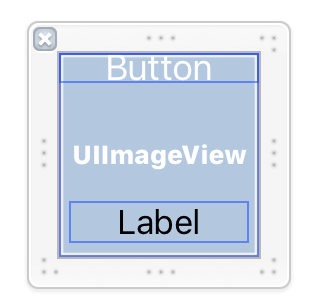
[swift4] UICollectionViewでカスタムセルをxibで作成する方法
UICollectionViewのセルの中のボタンなどをcell.contentView.viewWithTagで取得すると何故かnilが返されてクラッシュするので、xibを使用したカスタムセルで実装した。
UICollectionViewでカスタムセルをxibで作成する方法は以下の通り
目次
xibファイルの作成
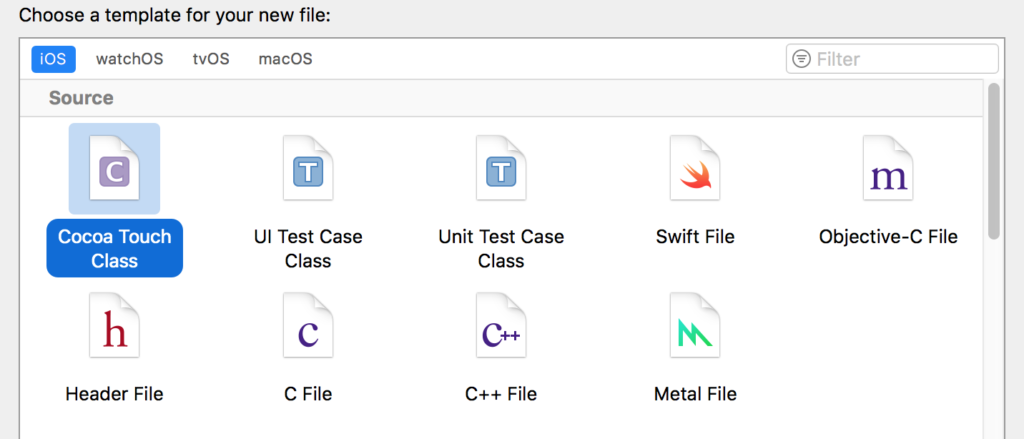
新規Cocoa Touch Classファイルを作成
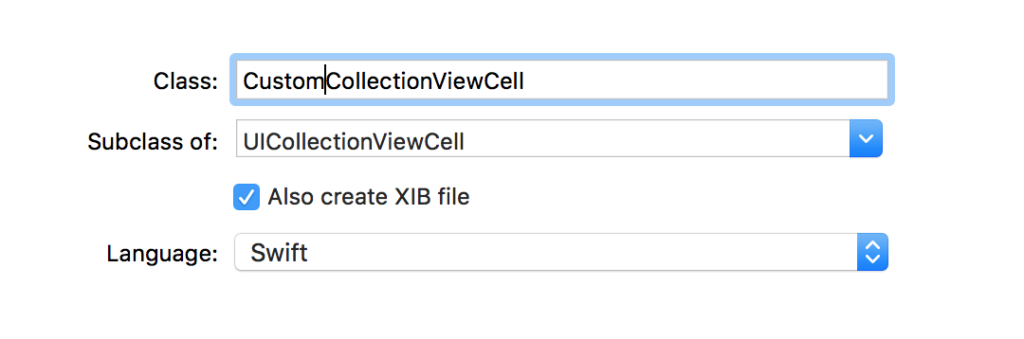
Classにクラス名を入力し、サブクラスを「UICollectionViewCell」を選択、「Auso create XIB file」を選択して、作成する。
xibファイルの編集
xibファイルを開き、必要な材料を配置していく。
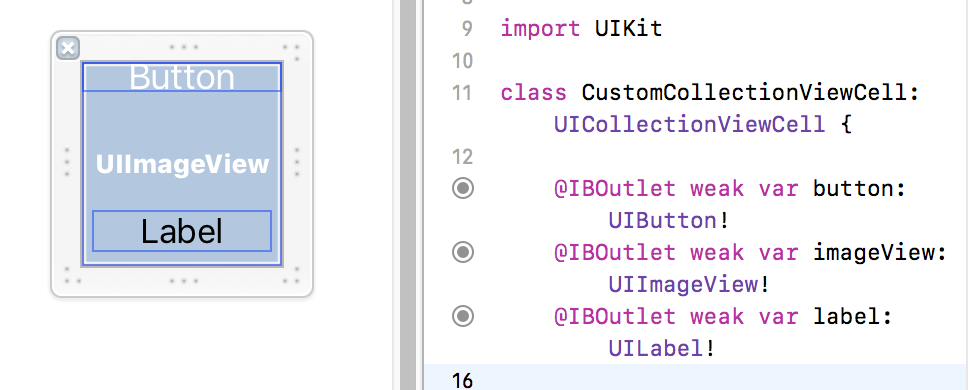
今回はimageViewとbuttonとlabelを配置
それぞれのパーツを引っ張って、xibと一緒に作成されたswiftファイルへ関連付ける。
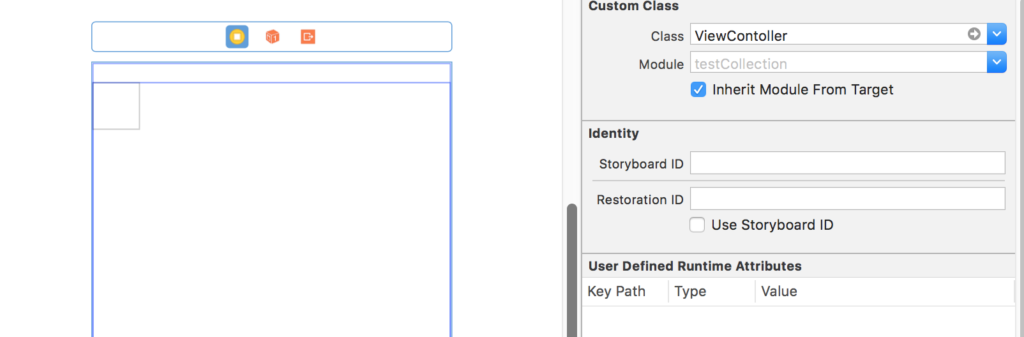
Main.storyboardへCollectionViewとCellを配置
Main.storyboardを開き、ViewController上にCollectionViewを配置、CollectionView上にCollectionViewCellを配置する。
ViewControllerのクラス名には、今回のCollectionViewControllerのSwiftクラスを指定。
CollectionViewCellのidentifierには「cell」と指定している。
Swiftコード実装
CollectionViewControllerのSwiftクラスに以下のコードを実装する
import UIKit

class ViewContoller: UIViewController,UICollectionViewDataSource, UICollectionViewDelegate {

 @IBOutlet var myCollectionView : UICollectionView!

 let strArray = ["Google","Amazon","Facebook","Apple"]


 //最初からあるメソッド
 override func viewDidLoad() {
  super.viewDidLoad()

  myCollectionView.delegate = self
  myCollectionView.dataSource = self

  myCollectionView.register(UINib(nibName: "CustomCollectionViewCell", bundle: nil), forCellWithReuseIdentifier: "cell")


 }

 func collectionView(_ collectionView: UICollectionView, numberOfItemsInSection section: Int) -> Int {

  return strArray.count
 }

 func collectionView(_ collectionView: UICollectionView, cellForItemAt indexPath: IndexPath) -> UICollectionViewCell {

  let cell : CustomCollectionViewCell = collectionView.dequeueReusableCell(withReuseIdentifier: "cell", for: indexPath as IndexPath) as! CustomCollectionViewCell

  cell.imageView.image = UIImage(named: "適当なImageファイル名")

  cell.button.tag = indexPath.row
  cell.button.addTarget(self, action: #selector(ViewContoller.buttonEvent(sender: )), for: .touchUpInside)

  cell.label.text = strArray[indexPath.row]

 return cell
 }


 @objc func buttonEvent(sender: Any) {
  //ボタンをプッシュした時の処理
 }

}
xibファイルを使用する場合は
myCollectionView.register(UINib(nibName: “CustomCollectionViewCell”, bundle: nil), forCellWithReuseIdentifier: “cell”)
を呼ぶ必要がある。
forCellWithReuseIdentifier: “cell”の”cell”は、CollectionViewCellのidentifierを指定する。
StoryBoard上でmyCollectionViewとCollectionViewを紐つけて、完了。